
Taiga Review 2026: In-Depth Analysis
open-source Scrum and Kanban
Taiga is an open-source project management tool designed to support agile methodologies like Scrum and Kanban. It has gained popularity for its flexibility and strong community involvement, making it a compelling choice for teams seeking a customizable solution.
Despite its strengths, Taiga may not be the perfect fit for every organization, particularly those needing extensive integrations with other tools. In this detailed review, we will explore its features, usability, pricing, and more to help you determine if it's the right tool for your team.
We score each tool against weighted criteria, testing it hands-on.
Taiga is developed with a focus on providing an intuitive and flexible platform for agile project management. It supports both Scrum and Kanban methodologies, offering teams the ability to manage sprints, backlogs, and tasks effectively. As an open-source solution, it allows for extensive customization and development by its user community.
The platform is available as a cloud-based service or can be self-hosted, providing teams with the freedom to choose the best deployment option for their needs. Its interface is clean and user-friendly, aimed at minimizing the learning curve for new users.
Taiga's core features revolve around agile project management, making it an ideal tool for Scrum and Kanban teams.
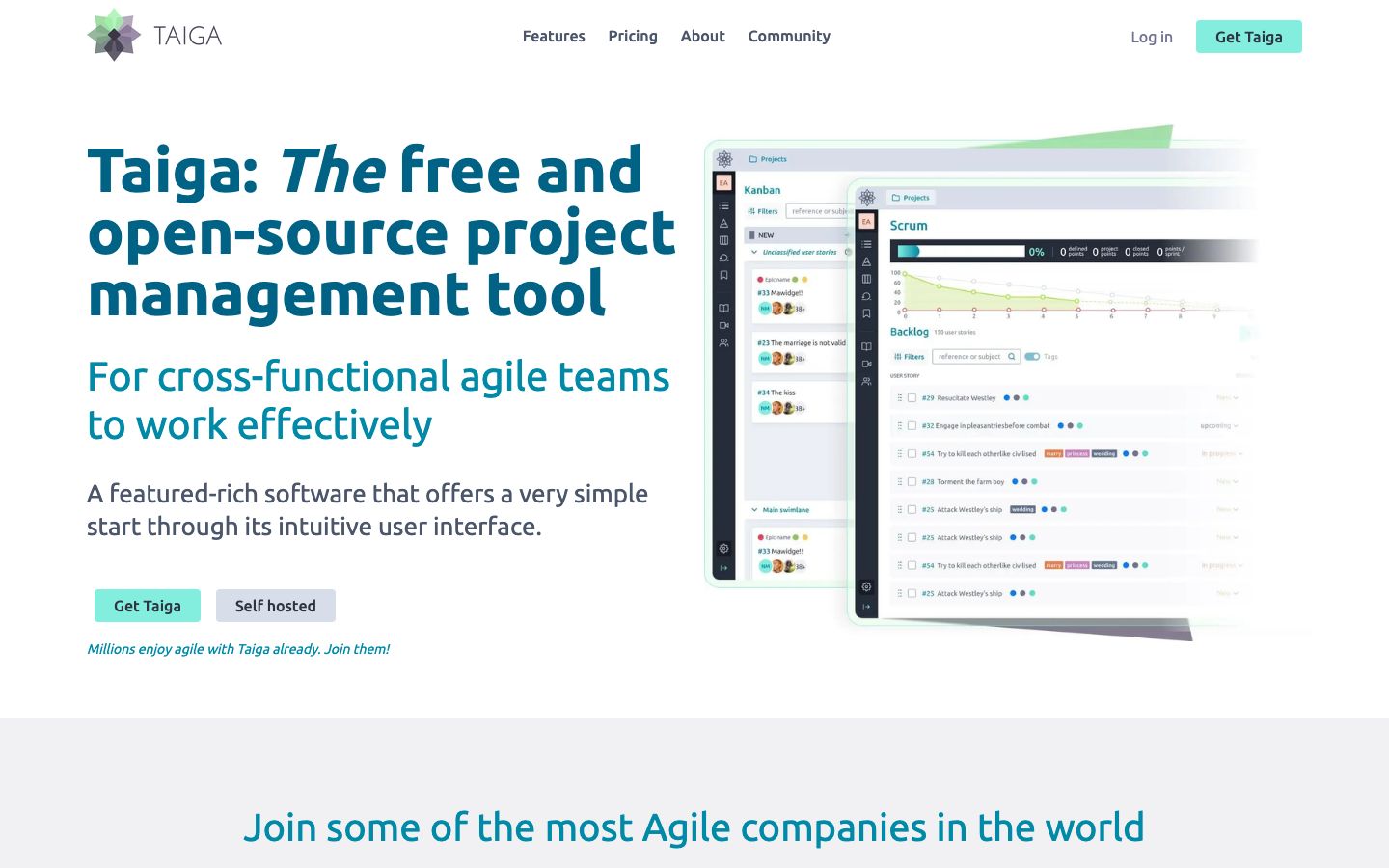
Taiga offers complete Scrum support, including sprint planning, backlog management, and burn-down charts. Teams can easily track progress and adjust their workflows as needed.
The Kanban boards in Taiga allow teams to visualize their workflows and manage tasks efficiently. Users can customize columns and track work-in-progress limits to optimize flow.
Manage larger projects with epics and break them down into smaller, manageable user stories. This feature helps in maintaining a clear overview of project progress.
Beyond the standard agile features, Taiga offers several standout functionalities that enhance its usability.
Taiga is designed with user experience in mind, aiming to provide an intuitive interface that reduces the complexity of project management. The learning curve is relatively gentle, especially for users familiar with agile methodologies.
The platform's clean design and straightforward navigation contribute to its ease of use. However, some users may find the initial setup and customization options a bit overwhelming, particularly if they are new to open-source tools.
Taiga offers both free and paid plans, catering to different team sizes and requirements. The free plan is suitable for smaller teams and includes core features. Paid plans provide additional functionality and support options, making them ideal for larger organizations.
For those who prefer self-hosting, Taiga can be deployed on-premise, offering flexibility in terms of cost and customization. Pricing for paid plans varies, and it's recommended to check the official website for the most current information.
While Taiga offers basic integration capabilities, such as with GitHub and Slack, it may not support as many third-party tools as some competitors. This limitation could be a drawback for teams heavily reliant on diverse software ecosystems.
Support is available through community forums and documentation. Paid users can access additional support options, which might include direct contact with the support team. The community-driven nature of Taiga means that helpful resources and contributions are continually being developed.
Taiga is particularly well-suited for agile teams that prioritize open-source solutions and require a high level of customization. It's ideal for organizations that manage projects using Scrum and Kanban frameworks.
However, it may not be the best fit for teams needing a wide array of integrations or those who require a solution with extensive built-in support options.
| Deployment | Cloud-based or self-hosted |
| Free plan | Available |
| Pricing | Various plans, including free and paid |
| Best for | Agile teams using Scrum and Kanban |
| Integrations | Limited, including GitHub, Slack |
| Support | Community and paid support |
| Mobile apps | Available for iOS and Android |
| Languages | Multiple languages supported |
Verdict: Taiga stands out as a flexible, open-source project management tool ideal for agile teams. While it excels in customization, its limited integrations may not suit all organizations.