

MeisterTask Review 2026: In-Depth Analysis
well-designed Kanban
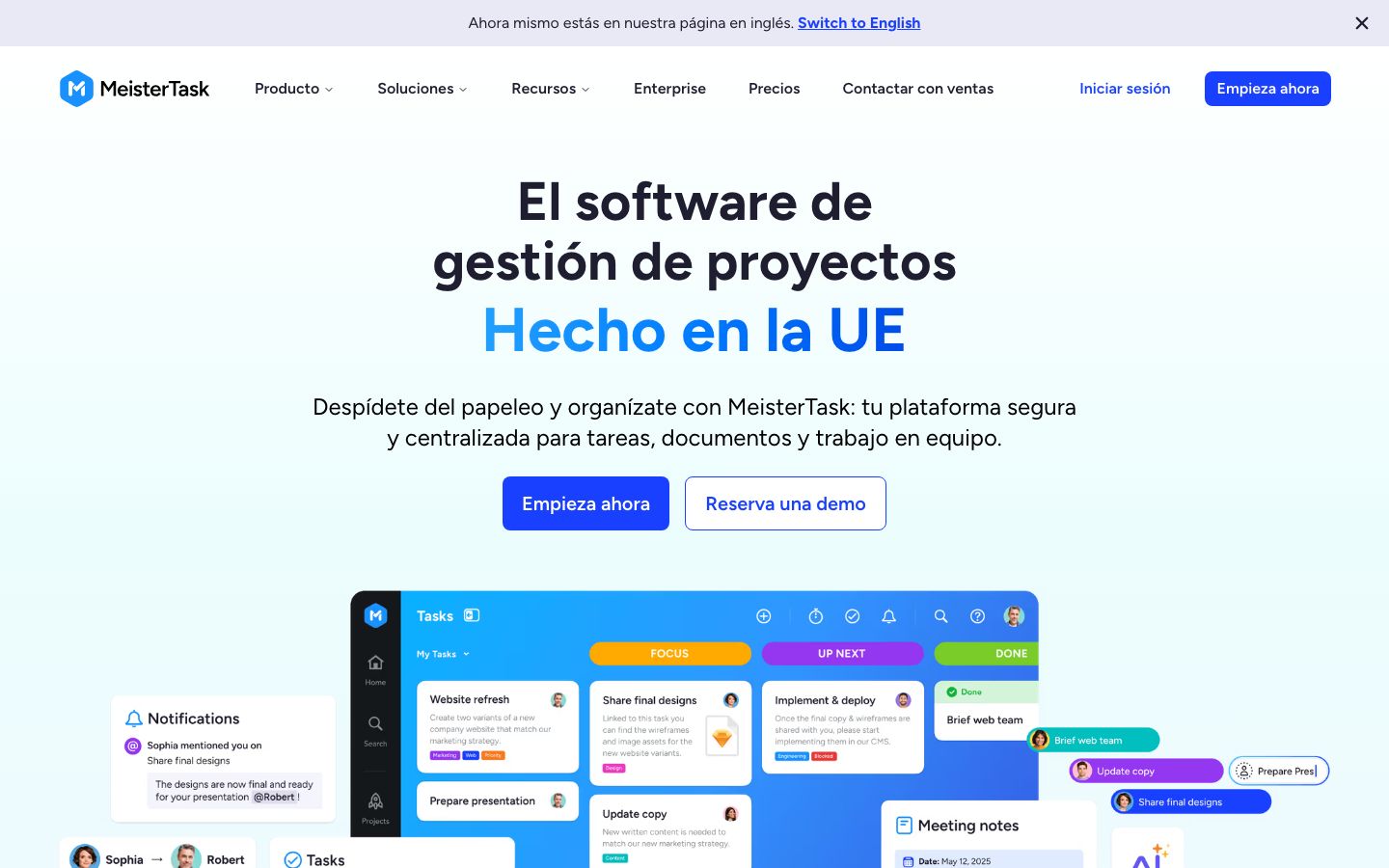
MeisterTask is a project management tool that stands out for its elegant and intuitive Kanban-style interface. Designed to help teams streamline their workflow, it offers a range of features that cater to both small teams and individual users.
In this review, we will delve into the specifics of MeisterTask, examining its core functionalities, standout features, user experience, pricing, and more to help you determine if it's the right tool for your project management needs.
We score each tool against weighted criteria, testing it hands-on.
MeisterTask, developed by the team behind MindMeister, is a cloud-based project management solution known for its visually appealing design and user-friendly interface. It is particularly suited for teams that prefer a Kanban-style workflow, offering flexibility and ease of use for managing tasks and projects.
With a focus on simplicity and collaboration, MeisterTask is ideal for small to medium-sized teams looking to improve their project management processes without the complexity of more robust enterprise solutions.
MeisterTask provides a wide array of features designed to enhance productivity and streamline workflows. Here are some of the key functionalities:
At the core of MeisterTask's capabilities is its task management system, which allows users to create, assign, and track tasks with ease. Tasks can be organized within projects, providing clarity and structure.
The Kanban boards in MeisterTask are highly customizable, allowing users to adapt the workflow to suit their specific needs. Columns can be added or removed, and tasks can be moved across stages effortlessly.
MeisterTask includes features such as comments, mentions, and notifications, enabling seamless communication among team members. This promotes transparency and ensures everyone stays informed.
Automations help reduce manual work by allowing users to set rules that automatically trigger actions, such as moving tasks or sending notifications based on specific conditions.
MeisterTask distinguishes itself with several standout features that enhance its usability:
MeisterTask is renowned for its ease of use, making it accessible even to those new to project management software. The intuitive drag-and-drop interface simplifies task management, while the straightforward navigation minimizes the learning curve.
Users appreciate the visual layout, which enhances clarity and helps teams focus on their tasks without getting bogged down in complex features.
MeisterTask offers a range of pricing plans to accommodate different user needs. There is a free plan available, which provides basic functionality, making it ideal for individuals or small teams. Paid plans offer more advanced features and increased collaboration capabilities.
Pricing is generally competitive, but it's advisable to check the official website for the latest details and any promotional offers.
MeisterTask integrates with numerous third-party applications, including Slack, Microsoft Teams, and Google Workspace, enhancing its utility in collaborative environments.
Support options include a comprehensive help center, community forums, and email support. While the support is generally reliable, some users have noted response times could be improved.
MeisterTask is best suited for teams that prioritize well-designed interfaces and straightforward project management tools. It is particularly beneficial for startups, small businesses, and freelance professionals who require an agile and visually appealing solution.
However, it may not be the best fit for large enterprises or teams with highly complex project management needs, as its simplicity could become a limitation.
| Deployment | Cloud-based |
| Free plan | Available |
| Pricing | Varies by plan |
| Best for | Small to medium teams |
| Integrations | Slack, Microsoft Teams, Google Workspace, and more |
| Support | Email, Help Center |
| Mobile apps | iOS, Android |
| Languages | Multiple languages |
Verdict: MeisterTask is an excellent choice for teams seeking a visually appealing, easy-to-use project management solution. While it may not suit complex enterprise needs, its customizable Kanban boards and integration capabilities make it ideal for small to medium-sized teams.