

Basecamp Review 2026: In-Depth Analysis
small teams and simplicity
Basecamp is a renowned project management tool that has been simplifying team collaboration for over two decades. Known for its user-friendly interface and straightforward approach, Basecamp is favored by small teams and startups looking for an uncomplicated solution.
In this comprehensive review, we delve into Basecamp's features, usability, pricing, and more, to help you determine if it's the right fit for your team's needs in 2026.
We score each tool against weighted criteria, testing it hands-on.
Basecamp has been a staple in project management since its inception. Designed to streamline communication and task management, it offers a centralized platform for teams to collaborate effectively. Its simplicity is both its strength and limitation, making it ideal for small teams but potentially inadequate for larger enterprises with complex demands.
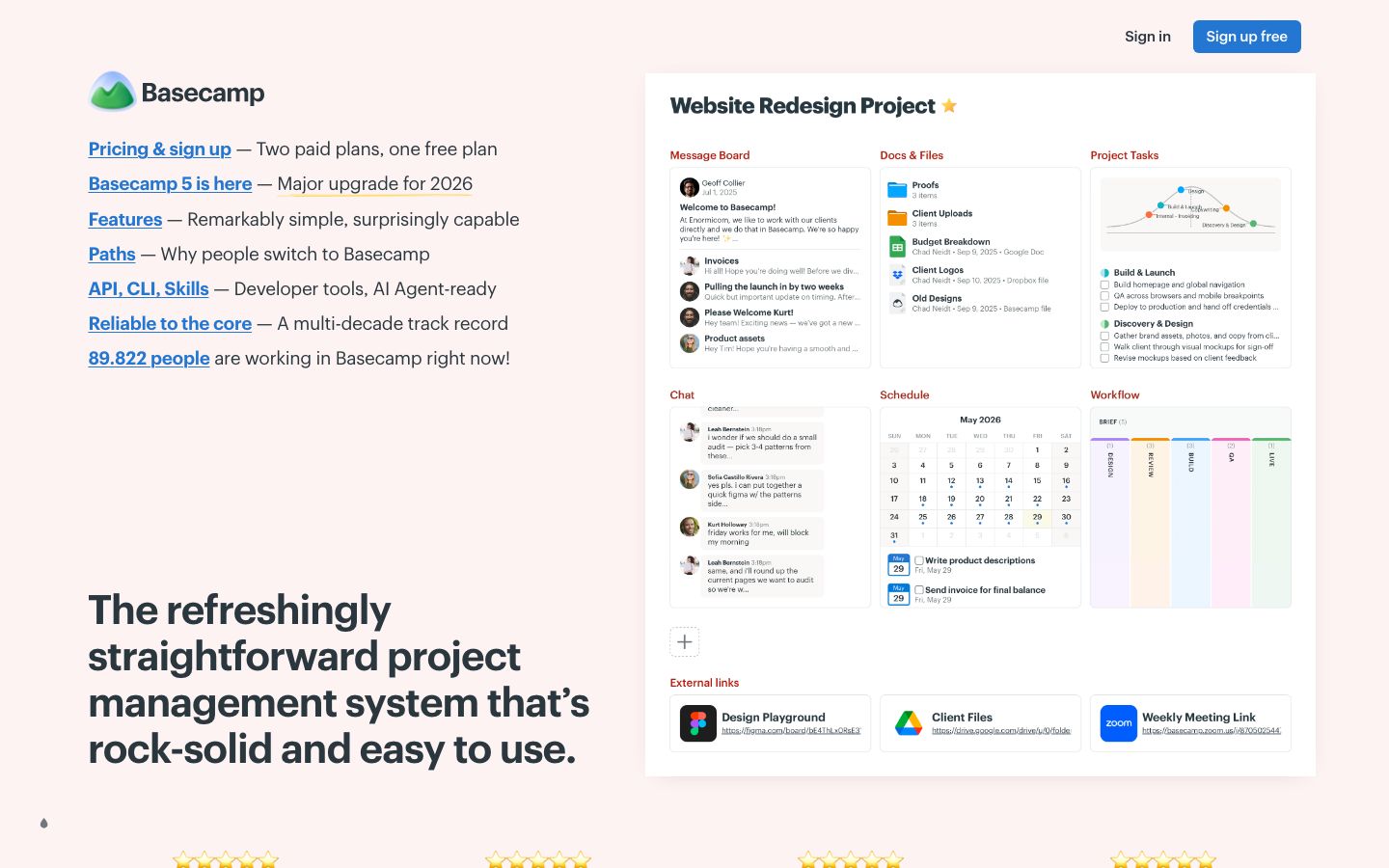
Basecamp organizes work using projects, each containing all the necessary tools to manage tasks, discussions, and files. This compartmentalized approach ensures clarity and focus.
The message board feature allows teams to post updates and announcements, replacing lengthy email threads and keeping all communication within the platform.
To-do lists help teams track tasks, assign responsibilities, and set deadlines, ensuring everyone is aware of their duties and timelines.
Basecamp's standout features include its simplicity and ease of use. The platform's design is intuitive, with minimal learning curve, which is ideal for teams transitioning from more traditional project management methods.
One of Basecamp's most attractive aspects is its user-friendly interface. The platform is designed to be intuitive and requires minimal training, which is a significant advantage for teams that prefer to focus on their work rather than learning a new tool.
Basecamp offers straightforward pricing with both free and paid plans. The free plan is suitable for personal projects and small teams, while the paid plans provide additional features and storage. It's advisable to check the official Basecamp website for the most current pricing tiers.
Basecamp integrates with various third-party applications, enhancing its functionality. The support includes comprehensive documentation and a responsive help team, although some users report delays in receiving assistance.
Basecamp is particularly well-suited for small teams looking for a straightforward project management tool. Its ease of use and efficient communication features make it perfect for startups and small businesses.
| Deployment | Cloud-based |
| Free plan | Available |
| Pricing | Plans from basic to premium |
| Best for | Small teams |
| Integrations | Variety of third-party apps |
| Support | Email and online resources |
| Mobile apps | iOS and Android |
| Languages | English |
Verdict: Basecamp stands out for its simplicity and ease of use, making it a strong choice for small teams. However, it may not meet the demands of larger organizations with more complex needs.