


In today's dynamic project management landscape, choosing the right tool is critical for team efficiency and success. Linear and Jira are two popular options that cater to diverse project needs. Linear is celebrated for its streamlined design and ease of use, making it a favorite among startups and tech-savvy teams. On the other hand, Jira, renowned for its robust feature set, is often the go-to choice for larger enterprises and development-focused teams.
Both tools offer unique strengths and cater to different audiences. Linear is ideal for teams looking for a clean, straightforward solution, while Jira is suited for those requiring extensive customization and integration capabilities. This comparison will delve into the specifics of each tool to help you determine which best fits your organizational needs.

Which should you choose?
Choose Linear if…
- Your team is small and agile.
- You prefer a simple, intuitive interface.
- Quick setup and minimal learning curve are priorities.
Choose Jira if…
- Your organization is large and complex.
- You need extensive customization and integration options.
- Advanced reporting and analytics are critical.
| Feature | Linear | Jira |
|---|---|---|
| Best for | Startups, agile teams | Large enterprises, developers |
| Learning curve | Shallow | Steep |
| Views | Simple lists, boards | Kanban, Scrum, Gantt, more |
| Automation | Basic automation | Advanced automation features |
| Integrations | Limited integrations | Extensive integrations |
| Collaboration | Real-time updates | Comprehensive collaboration tools |
| Reporting | Basic reporting | Advanced reporting & analytics |
| Plans | Free and paid plans | Free and paid plans |
| Support | Email support | 24/7 support, community forums |
Pros and cons
Linear
Pros
- Intuitive and user-friendly interface.
- Efficient task management with minimal setup.
- Ideal for agile teams needing quick adaptability.
Cons
- Limited integrations compared to competitors.
- Basic reporting capabilities.
- Not as customizable for complex workflows.
Jira
Pros
- Highly customizable and flexible.
- Wide range of integrations and plugins.
- Comprehensive reporting and analytics.
Cons
- Steeper learning curve for new users.
- Can be overwhelming with too many features.
- Higher cost for advanced features.
Linear Overview
Linear is designed with simplicity and speed in mind, catering primarily to startups and agile teams. It provides a clean and intuitive interface that allows users to manage tasks efficiently without the clutter of unnecessary features. Linear's focus is on delivering a minimalistic yet powerful tool that enhances productivity through streamlined workflows.
Its key features include task management, project tracking, and basic automation, making it ideal for teams that prioritize speed and efficiency over extensive customization. Linear's real-time updates and collaboration tools help teams stay aligned and focused on their objectives.
Jira Overview
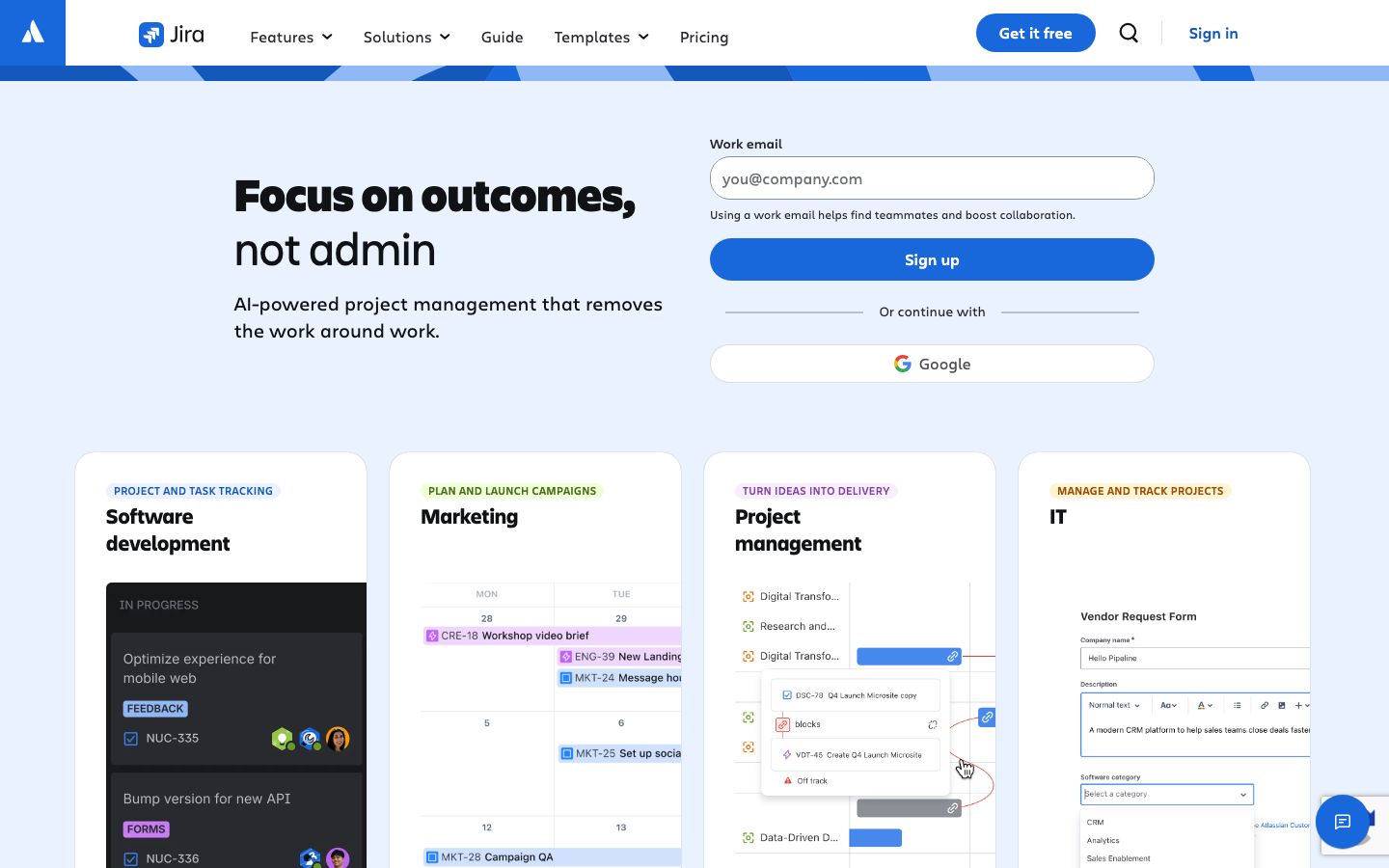
Jira is a robust project management tool favored by larger enterprises and development teams. Known for its extensive feature set, Jira offers comprehensive tools for issue tracking, project management, and agile development. Its flexibility allows teams to customize workflows extensively, catering to complex project requirements.
With support for Kanban, Scrum, and Gantt charts, Jira provides diverse views that accommodate various project management methodologies. Its integration capabilities are vast, supporting a multitude of plugins and third-party applications, making it a versatile choice for organizations with diverse needs.
Key Differences
Linear and Jira serve different audiences, each with distinct advantages. Linear excels in simplicity and speed, offering a user-friendly approach to task management. It is ideal for teams that operate in fast-paced environments and require minimal setup time.
In contrast, Jira's strength lies in its flexibility and depth of features. It is suitable for larger teams that need detailed reporting, extensive customization, and integration options. While Linear focuses on core functionalities, Jira provides a comprehensive solution that supports complex project management needs.
Pricing Comparison
Both Linear and Jira offer free and paid plans, allowing teams to choose based on their needs. Linear's pricing is competitive, with options that cater to startups and small teams looking for affordable solutions. It offers a free version with basic features and scalable paid plans for advanced needs.
Jira also provides a free plan for small teams, but its robust feature set is accessible through its paid plans, which can be more costly for larger teams. The pricing structure for Jira reflects its extensive capabilities and is often suitable for organizations that require comprehensive project management tools.
Ease of Use and Support
Linear is praised for its ease of use, with a shallow learning curve that allows teams to start quickly without extensive training. Its support is primarily through email, with a focus on resolving user queries efficiently.
Jira, on the other hand, has a steeper learning curve due to its extensive features and customization options. However, it offers 24/7 support, comprehensive documentation, and active community forums, providing robust help resources for users.
Which to Choose for Your Case
Choosing between Linear and Jira depends on your team's specific needs. If you're a small, agile team looking for a straightforward, quick-to-adopt tool, Linear is a strong contender. Its simplicity and efficiency make it ideal for startups and teams that prioritize speed over extensive features.
Conversely, if your organization requires detailed customization, extensive integrations, and robust reporting, Jira is the better choice. Its comprehensive suite of tools supports complex project management and is designed to handle the needs of larger enterprises.
Verdict: Both Linear and Jira offer unique benefits. Linear is ideal for small, agile teams needing speed and simplicity, while Jira suits larger teams requiring customization and extensive integrations.
FAQ
Is Linear suitable for large enterprises?+
Linear is best for small to medium teams. Large enterprises may find Jira more suitable due to its extensive features.
Can Jira be used by non-technical teams?+
While Jira is favored by technical teams, non-technical teams can use it with some training due to its comprehensive features.
Does Linear support agile methodologies?+
Yes, Linear supports agile methodologies with features like boards and sprints, ideal for agile teams.
What integrations does Jira offer?+
Jira offers extensive integrations with tools like Confluence, Bitbucket, and many third-party applications.
How does Linear handle reporting?+
Linear provides basic reporting features, suitable for teams that need simple progress tracking.
What are the support options for Jira?+
Jira offers 24/7 support, along with community forums and comprehensive documentation for users.